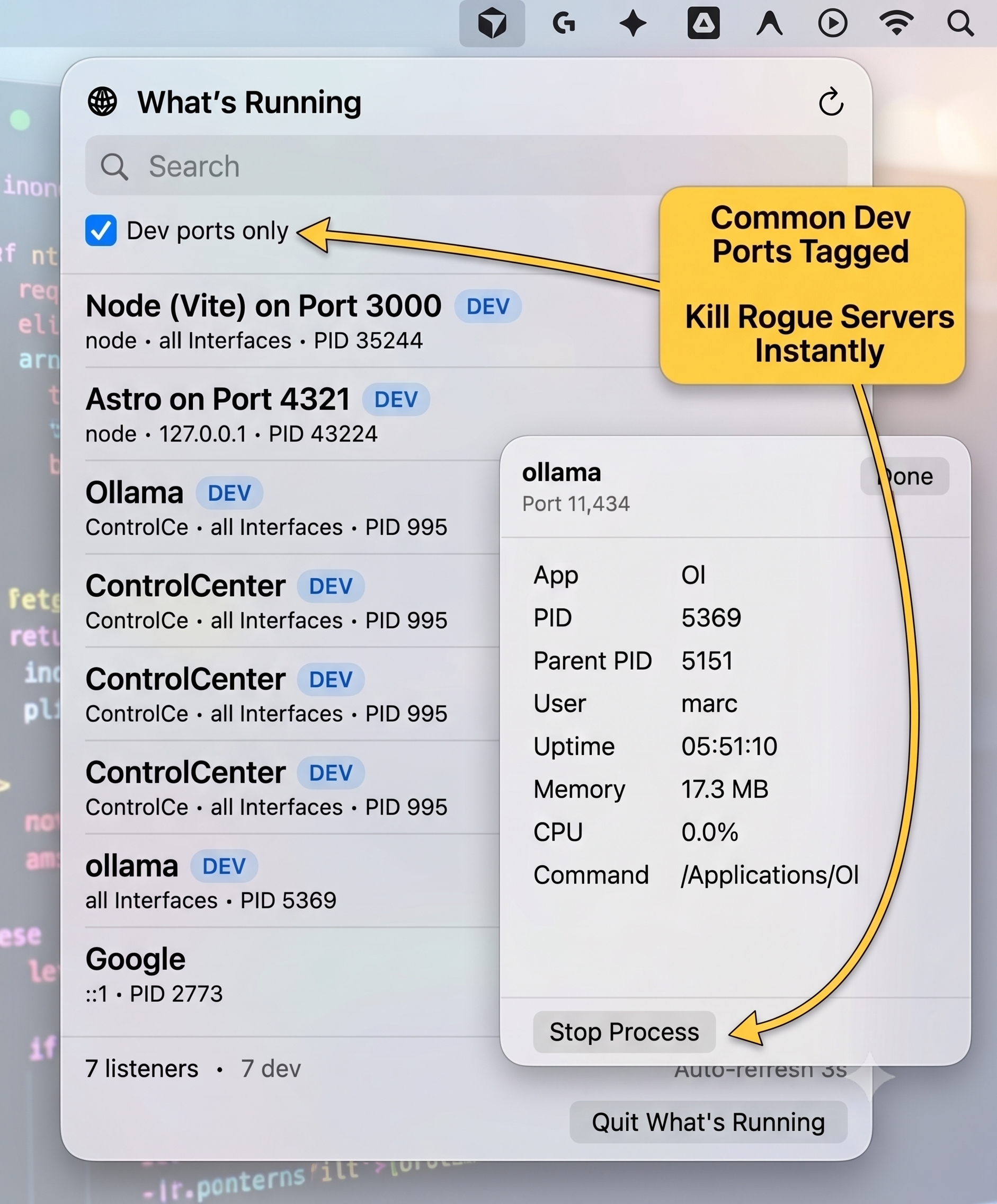
You sit down, open your terminal, and go to spin up a local dev server. You hit enter, fully expecting to see your site compile. Instead, you get slapped with:
Error: listen EADDRINUSE: address already in use :::3000
It is the software engineering equivalent of trying to plug in a USB Type-A connector. There are literally only two ways to orient the thing, but somehow it always takes at least three attempts to get it right.
You know something is hogging the port, but what? Was it that legacy Vite project you forgot to kill yesterday? Is it your Astro site?
Now, instead of writing code, you are context-switching. You have to remember the exact lsof incantation, hunt down the PID, and manually issue a kill command. It is a minor papercut, but when it happens multiple times a week, those papercuts add up.
I got tired of the friction, so I built What’s Running.
A UI for a CLI Problem
I love a good terminal workflow, but sometimes a visual tool is just faster. What’s Running is a lightweight macOS menu bar app that gives you a one-click view of exactly what processes are listening on your local TCP ports.
I designed it specifically for local web development. Whether you’re running a Vite app on 3000, an Astro site on 4321, or local LLMs via Ollama on 11434, What’s Running surfaces it instantly.
The Good Stuff:
-
Zero Friction: It lives in the menu bar with no Dock icon. It’s there when you need it and invisible when you don’t.
-
Cut the Noise: macOS runs a lot of background services (like ControlCenter on
5000and7000). The Dev ports only toggle filters out the OS noise and strictly highlights common dev ports with a blueDEVbadge.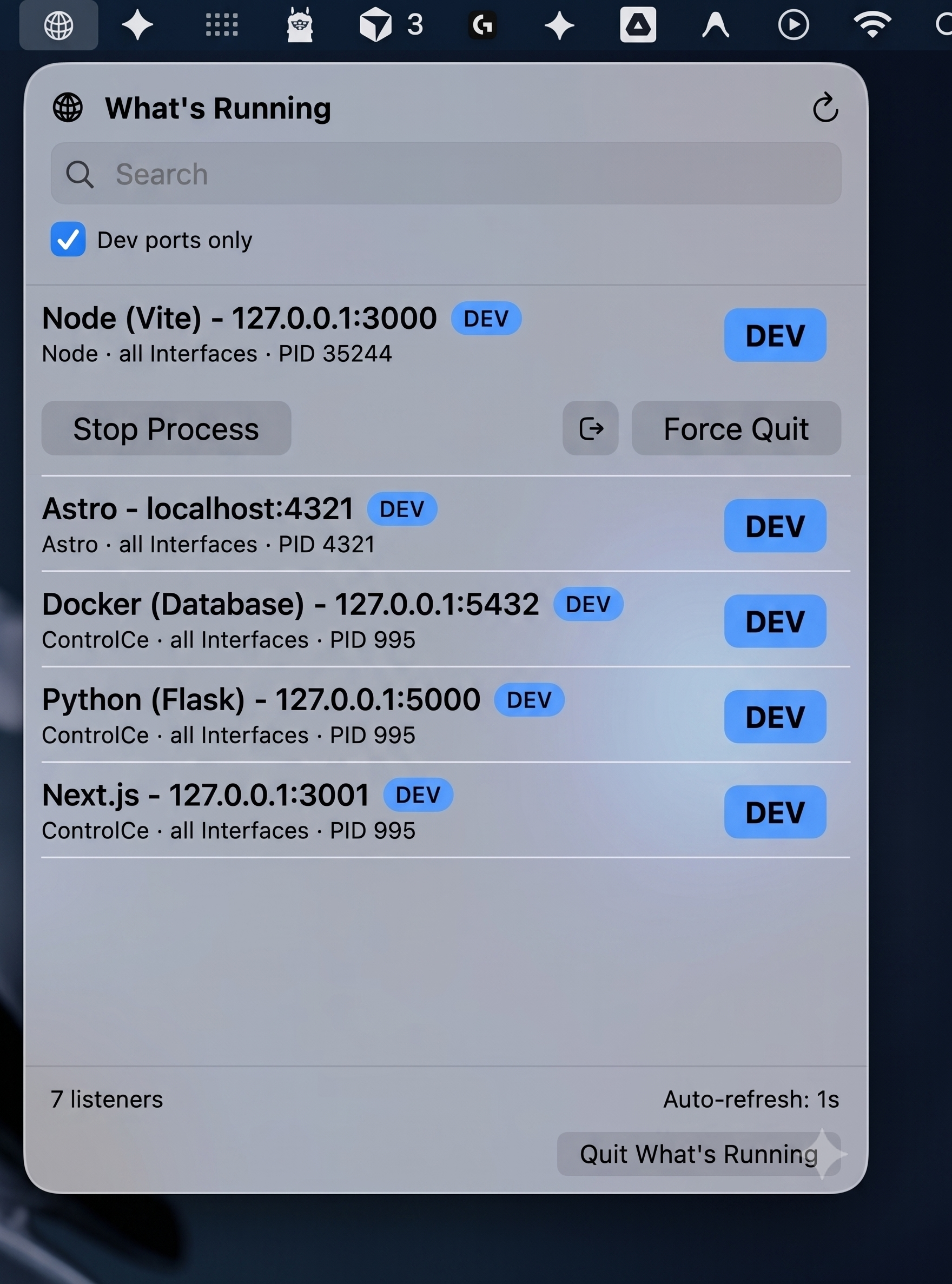
-
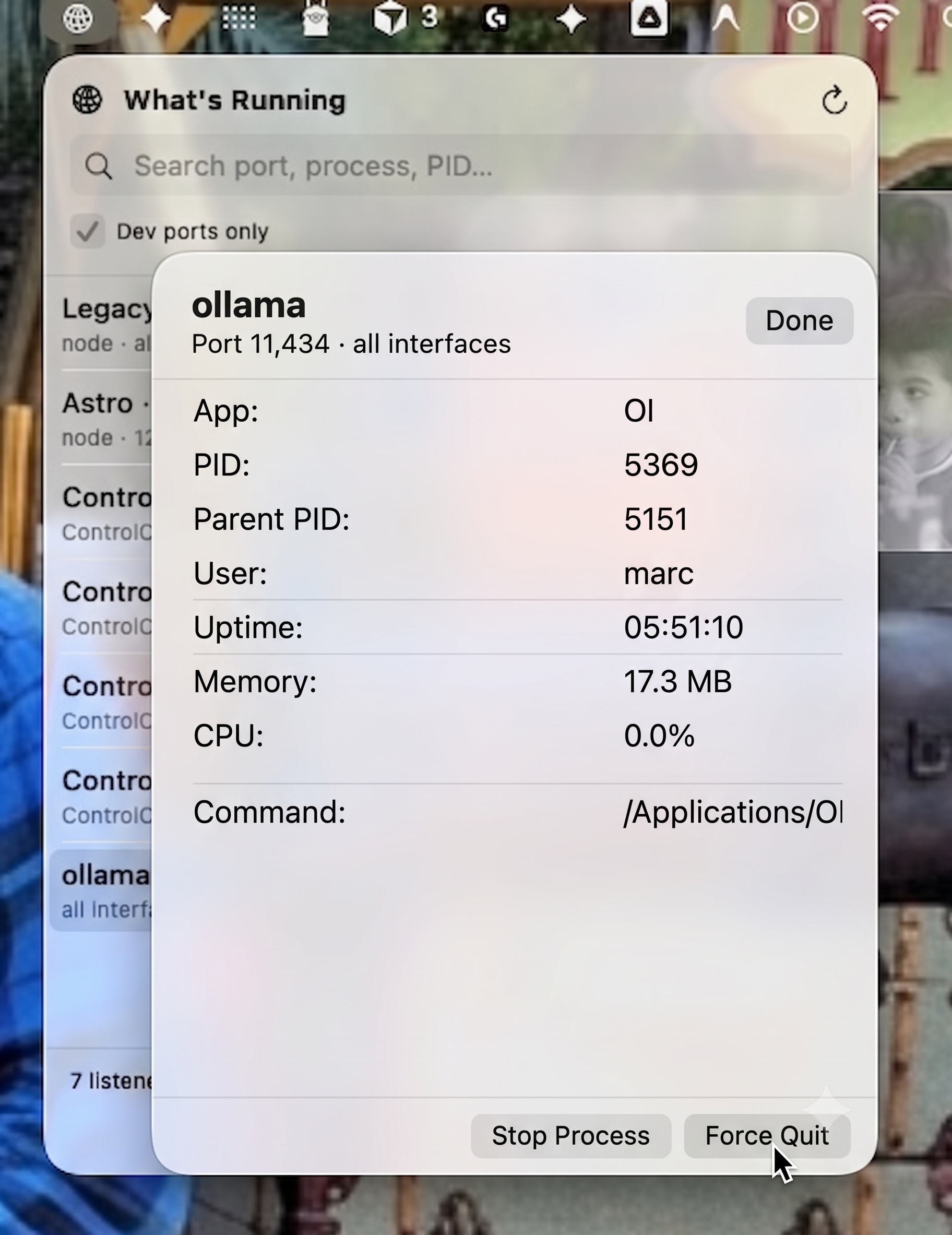
One-Click Kills: Click on any rogue process to see its uptime, memory, and CPU usage, then hit Stop Process (SIGTERM) or Force Quit (SIGKILL) right from the panel. No terminal required.
Keeping it Local
Security and privacy are non-negotiable for dev tools. What’s Running is completely local. There are no analytics, no network requests, and no accounts.
Under the hood, it just runs /usr/sbin/lsof to discover listening sockets and enriches the data using /bin/ps. It isn’t sandboxed purely so it can run these local shell utilities, but it operates strictly within your user permissions—meaning you can only kill processes you actually own.
Try It Out
If you want to stop playing the port guessing game, grab the latest release. It requires macOS 14.0 (Sonoma) or later.
📥 Download from GitHub Releases
If you prefer to build it yourself, the source is fully available under the MIT license. Grab the repo, hit ⌘R in Xcode, and take your ports back.